
In This Article
- How can you use AI effectively at work?
- Where does AI fall short at work?
- AI in action: what does working with AI vs using it poorly look like?
- When should you avoid using AI at work?
- AI courses that can help business professionals use AI better at work
- Enhance your knowledge of AI and maintain a competitive edge
A worrying trend has emerged over recent years when it comes to using generative artificial intelligence (AI) tools. With many professionals now embracing AI (68 per cent of Australian workers, according to EY), some employees have started using AI tools to create low-effort work that’s unhelpful, incomplete or unusable.
According to research conducted by the University of Melbourne, two-thirds (66 per cent) of employees who use AI at work have relied on AI output without evaluating it, causing hits in professional credibility and extra work for others in correcting errors.
In this article, we’ll walk through how to use AI effectively at work, what good versus poor AI use looks like and situations where you should be mindful about using it.
How can you use AI effectively at work?
To use AI effectively, view it as a tool that supports your thinking, not one that replaces it. AI is there to help you work smarter, particularly with tedious or repetitive tasks, but it isn’t the be all and end all of everything.
The best way is to think of AI as a collaborator and complement to human intelligence and judgement rather than a replacement. It doesn’t have the critical thinking capabilities that you do, or the context and knowledge that you have and shouldn’t be used or relied on exclusively.
Some ways to use AI effectively at work include using it as a tool to improve efficiency, a starter for ideas or a way to synthesise information. Here are some of the most useful day-to-day applications of AI for business professionals:
Drafting emails and messages
AI can help you put together a first draft so you’re not working from a blank slate.
Summarising meetings and notes
AI can help you extract key decisions and deadlines, or condense lengthy documents into key points and action items.
Brainstorming ideas
If you need help kickstarting the brainstorming process, AI can assist with generating a list of ideas to get you started.
Synthesising information
If you have large datasets that need processing, such as categorising data into themes or a report you need to pull key insights from, AI can assist.
Automating repetitive tasks and workflows
You can connect AI to other applications to have it automatically handle routine administrative work.
Preparing for meetings
You can give AI some historical context and have it assist with outlining objectives and predicting questions that might arise during the meeting.
Quick troubleshooting
If you’re running into issues operating a certain software or dealing with a computer error, AI may be able to help you pinpoint the issue and suggest a fix without you having to dig through forums or FAQs.
Getting up to speed quickly
If you need to quickly understand a new software, concept or industry topic, AI can give you a quick overview or summary as a starting point.
Tips on using AI effectively at work
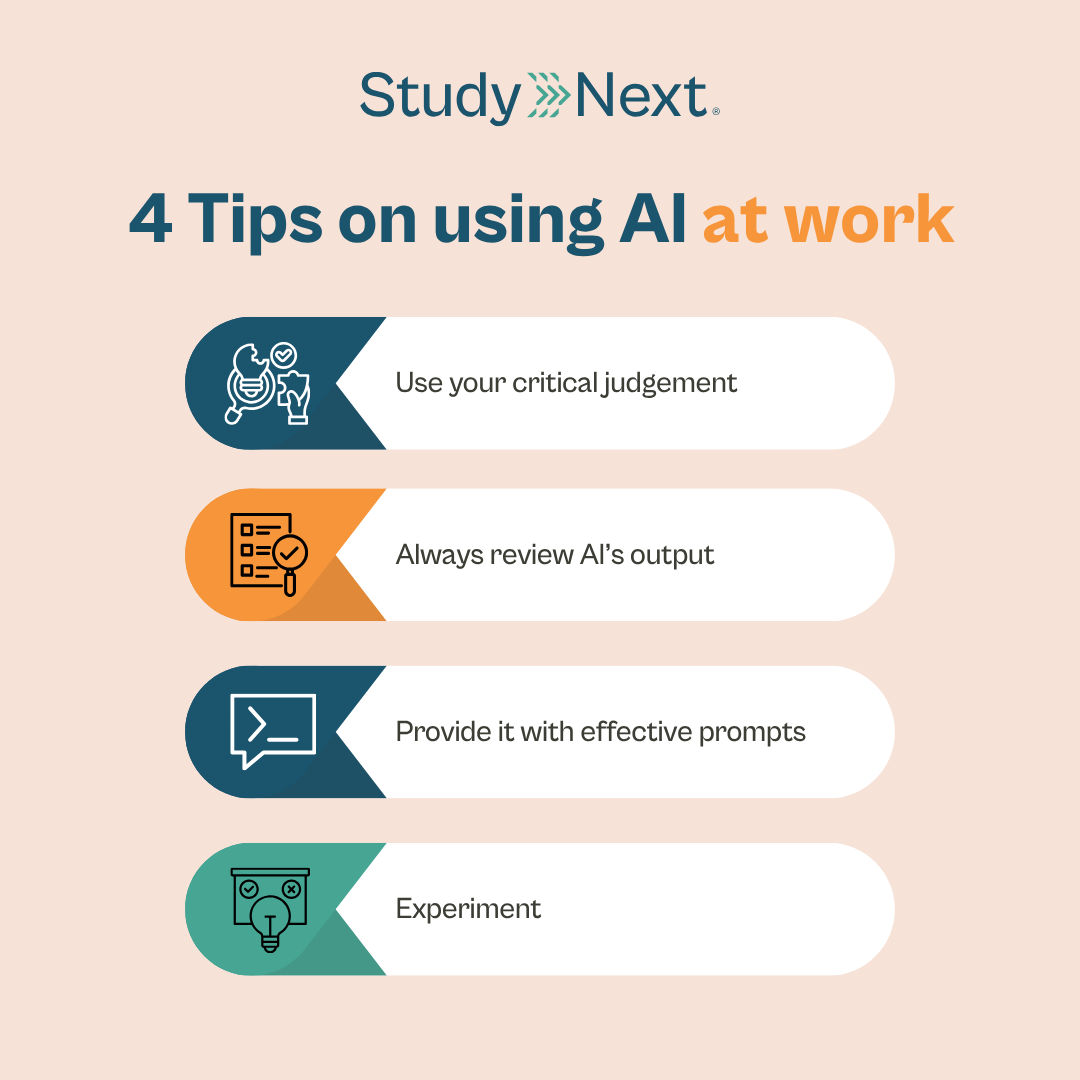
As seen from the examples above, AI is a great starting point and a useful complement to human intelligence, but it shouldn’t be relied on completely. If you’re using AI at work, here are some practical tips on how to use it effectively:
1. Use your critical judgement
While AI can assist with some tasks, you’re still the one in the driver’s seat. AI is there to help, but what most people miss is that AI works best when you already know what direction you’re heading in. It can’t tell you if an email is professional enough to send, if a summary captures the right points or if an idea it recommends is right for your business. You’re the one who has to take what AI gives you and either challenge the output or shape it into something that works.
2. Always review AI’s output
One of the most important things to remember when it comes to using AI effectively at work is that it provides a helpful first draft, but not a finished product. Always double-check the information provided before sending or submitting anything and avoid copying and pasting what AI gives you without reviewing it properly. AI does make mistakes and it’s also prone to hallucinating, something we’ll talk about later in the article.
3. Provide it with effective prompts
How AI works is that it scours the internet and “reads” everything to provide you with an answer. If you give it a vague query, it’s likely you’ll get a generic answer back. It’s like walking into a store and asking someone for their recommendation. Without any guidance, you’ll probably be recommended the most popular item on the shelf.
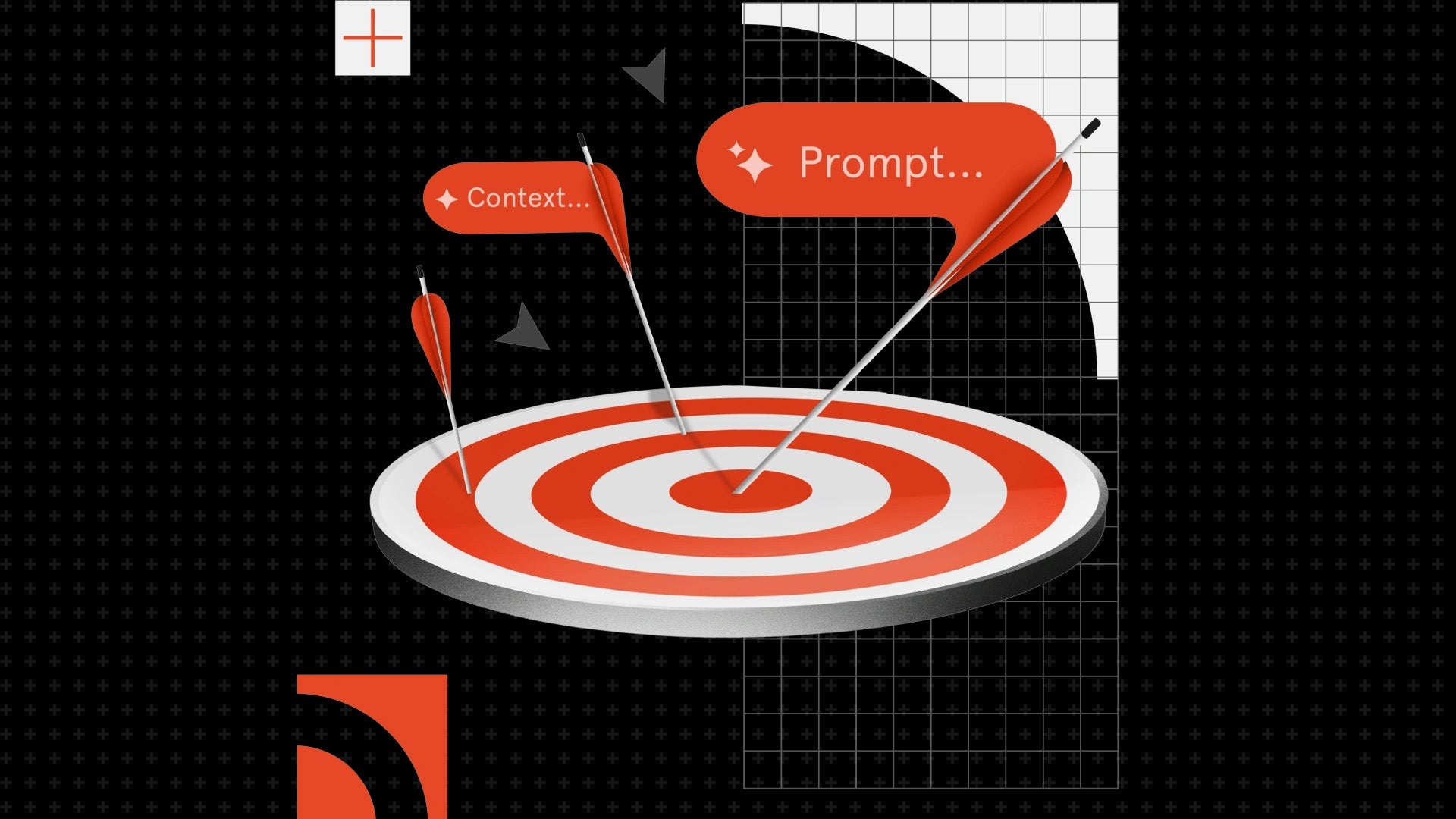
Also known as prompt engineering, an effective prompt will specify the context, angle, task and style so the model knows what to give you. Here’s an example:
Ineffective prompt: Write an email apologising about a project delay.
Effective prompt: I’m a project manager working on a website rebuild for a client and need to email them to let them know that the project is running two weeks behind. The client is anxious about the launch date, so I want the email to acknowledge the delay, offer a revised timeline and reassure them without overpromising. Keep the tone warm but professional and no longer than two short paragraphs.
You can further hone this skill in the Generative AI Masterclass at the University of Sydney. This online one-day class will teach you how to describe generative AI, identify suitable use cases and use prompt engineering to create useful outputs.


Transform your work with this cutting-edge Generative AI tools workshop.
4. Experiment
AI is constantly evolving and there are always new models being released with improved functions. How an AI model might have responded a couple of months ago may be different to how it responds now. The best way to figure out what works for you is to continuously experiment with the tool and see what gets you the best outputs. Doing so will also help build your AI skills and enhance your overall AI fluency.
Where does AI fall short at work?
AI is a powerful collaborative tool and it’s effective in areas like synthesising information, automating repetitive tasks and data analysis, but it isn’t without its weaknesses. Understanding the limitations of AI is imperative in ensuring that you’re using it effectively.
AI can provide false information
A common phenomenon with AI is what’s known as hallucinations, where the tool invents statistics, misattributes quotes or fabricates sources. Hallucinations happen when the model tries to fill in gaps based on similar contexts from its training data, or when it's been built using biased or incomplete data, leading it to make incorrect guesses.
One of the most high-profile AI hallucination examples in Australia was in 2025, when Deloitte submitted a report to the Department of Employment and Workplace Relations that contained significant errors, including fabricated academic references and a false quote attributed to a Federal Court judge. The firm later confirmed it had used generative AI in producing the report and issued a partial refund to the federal government.
AI lacks emotional intelligence
While AI can simulate cognitive empathy using pattern recognition, it lacks consciousness and cannot feel or experience emotions. As such, AI-generated responses may lack authentic emotional resonance and come across as cold, robotic or tone-deaf.
The danger of AI slop
As the use of AI becomes more widespread, so does the amount of AI slop. Named Macquarie Dictionary’s 2025 word of the year, AI slop refers to low-quality or low-effort content created using generative AI.
AI slop can affect how you’re perceived in the workplace and externally. According to research published in the Harvard Business Review, 32 per cent of people who have received workslop report being less likely to want to work with the sender again in the future.
In addition, research from Klaviyo found that 40 per cent of Australians regularly spot low-quality AI content in their feeds and just as many say it actively reduces their trust in the brand behind it. With audiences becoming increasingly wary of AI slop, producing it means you’re adding to the noise of an already cluttered online world.
The risk of cognitive offloading
Cognitive offloading is when you view AI as a crutch and delegate so much of your thinking to it that you start to lose the capacity to do the tasks yourself. There’s a growing body of evidence that outsourcing too much of the cognitive work to AI can short-circuit the cognitive effort required for learning, with potentially long-term consequences.
AI in action: what does working with AI vs using it poorly look like?
AI has its place at work, but it requires human oversight to be used well. Here are some examples that highlight the difference between working with AI and using it poorly.
Example one: building a Q4 sales report
Using AI poorly
A sales manager uploads the quarter’s data into AI and asks it to “write a Q4 sales report.” They proceed to copy the output into their report without evaluating the information, questioning assumptions or challenging the outputs. The report ends up being generic, doesn’t draw out the bigger picture and contains surface-level analysis. The report ends up being cascaded down to another employee who has to decode the content, infer what’s missing and redo the work.
Working with AI
This time, the sales manager uses AI’s output as a starting point. They review the work and evaluate the information by looking for missing context, hidden assumptions or skewed perspectives. They also challenge AI’s output by checking for logical fallacies or contradictions. Instead of a generic report, the final report is detailed and insightful.
Lesson: AI can provide you with a good starting point, but it’s up to you to use your critical thinking and judgement to elevate the work.
Example two: summarising meeting notes
Using AI poorly
A manager uploads a meeting transcript and asks AI to summarise the key points. Without looking through the notes, they forward the summary on to the team. While the summary captures most of the meeting, there’s inaccurate information in there, including a critical action item that’s missing. A team member starts working off the incorrect brief and by the time it’s flagged, the project has lost three days.
Working with AI
This time, the manager uploads the meeting transcript and asks for the summary to be structured into sections such as decisions and action items for clarity. They then read through the draft carefully and review it against their own notes from the call. They correct any inaccurate information and have other team members sense-check it before it goes out to the wider team.
Lesson: AI can provide inaccurate information, so it’s always important to verify the information it gives you before sharing it.
Example three: brainstorming campaign ideas
Using AI poorly
A marketer asks AI to generate some campaign ideas for their new product launch. They provide a generic prompt, pick the idea that sounds the catchiest and pitch it to their manager. The idea falls flat as it doesn’t reflect the brand’s positioning or showcase the product’s unique selling point.
Working with AI
The marketer feeds AI the proper context, such as the brand’s positioning, the product’s unique selling points and the target audience. They then review the ideas AI has generated and use them as a starting point, drawing on their marketing expertise and experience with the brand to refine the concept while layering in their own creative direction. This results in a campaign that’s fresh, innovative and on-brand.
Lesson: AI needs context and the right prompts to provide better output quality.
When should you avoid using AI at work?
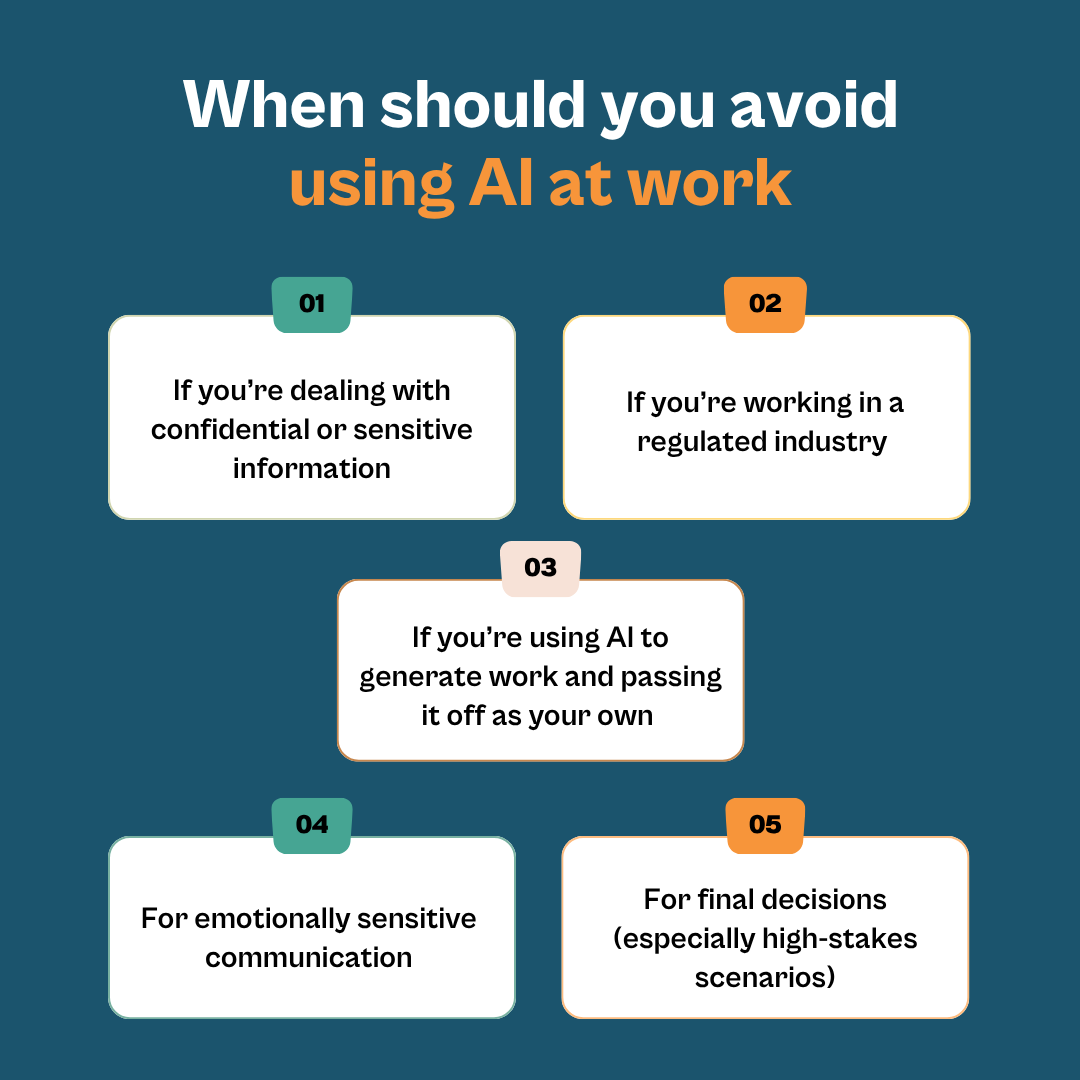
While AI is a useful tool, there are instances where you should be cautious about using it at work. This includes:
If you’re dealing with confidential or sensitive information
This depends on whether your company has enterprise-grade AI tools or if you’re using the consumer AI version. Enterprise-grade AI tools don’t use the data or information you’ve input for training and companies typically have guardrails and policies around how AI can be used. With consumer AI versions, however, data may be stored and used to train future models, so it’s best to avoid giving it any confidential or sensitive information such as client details, company financial figures or internal strategies.
If you’re working in a regulated industry
Certain industries have strict rules around how AI can be used. In Australian legal practice, for instance, lawyers are responsible for exercising their own forensic judgement and should not rely on AI outputs as a substitute for their own analysis of a client’s needs and circumstances.
For emotionally sensitive communication
Where possible, avoid using AI to write sensitive messages, whether that’s performance reviews, HR notices or communication that involves addressing a complaint or apology. AI’s lack of ethical judgement, contextual understanding and emotional intelligence presents risks and it may produce responses that come across as biased, inappropriate or harmful due to its reliance on programmed algorithms.
If you’re using AI to generate work and passing it off as your own
Using AI to produce work and presenting it as your own can be misleading and many workplaces and industry bodies have disclosure expectations around AI use. If you’re unsure, it’s best to refer to your organisation’s internal AI policy to see how it impacts your deliverables.
For final decisions (especially high-stakes scenarios)
Human experience and judgement are critical to making decisions and AI shouldn’t be the one making the final call. While it can help you get to that decision or provide you with a starting point, high-stakes decisions, especially ones that involve trust, relationships or ethics, demand human accountability.
AI courses that can help business professionals use AI better at work
As AI continues to evolve and drive growth and innovation, it helps to develop a deeper understanding of the technology and understand its risks to adapt to AI in the workplace. If you’re looking to upskill in this space, some AI short courses and microcredentials worth considering include the following:
AI for Business Leaders at the University of New South Wales
This course can be completed virtually over three weeks or face to face in two days. It’s ideal if you’re looking to harness AI for strategic growth, innovation and performance. You’ll learn how to use generative AI to deliver operational efficiency, build AI governance and risk management frameworks and align AI adoption across the leadership team.
Suitable for: Leaders looking to leverage AI for customer value, business growth and operational excellence.


Develop the skills necessary to lead and expand the use of AI for business growth.
AI Dexterity Sprint at the University of Sydney
This online course will teach you how to use, navigate and govern generative AI. Comprising three self-paced modules and two online live sessions, you’ll learn how to build effective prompts, establish practical guardrails and apply your learning to an AI workbench project for your own organisation.
Suitable for: Leaders and managers looking to gain the practical skills required to work effectively with generative AI.
Learn how to prompt, customise and manage Generative AI tools and how to lead their responsible adoption across your team.
AI for Business at Melbourne Business School
This two-day face-to-face course is ideal if you’re looking to discover the tools and technologies to better harness the power of generative AI. You’ll learn how to formulate a business strategy that integrates AI, navigate responsible AI use and identify high-impact use cases for your organisation.
Suitable for: Senior executives, business leaders, managers and decision-makers looking to understand generative AI’s potential and drive innovation and strategy within the organisation.


Build the knowledge and strategy to lead responsible Generative AI adoption.
Developing AI Strategy at RMIT University
This industry-approved online course is developed with Amazon Web Services. In six weeks, you’ll learn the fundamentals of AI, how to generate AI opportunities and ideas for your business, the ethical considerations involved in AI use and how to create an AI roadmap.
Suitable for: Professionals who would like to apply AI learnings to their workplace and data analysts and scientists who want to better understand the basics of AI.


Discover the implications of artificial intelligence (AI) on your business and learn how to build an AI strategy to keep ahead of the curve.
Artificial Intelligence in Marketing at RMIT University
In this online course, you’ll step through the entire process of implementing AI in marketing. The course covers identifying the various AI tools within the martech landscape, evaluating which AI technologies support which tactic, developing an AI implementation plan and reflecting on the progress of your strategy.
Suitable for: Existing and aspiring marketing professionals, along with business owners, entrepreneurs and sales professionals looking to strengthen their marketing skills in the AI space.

Elevate your marketing skills with real-world AI martech and ethical strategies to keep pace with the rapidly evolving landscape.
Enhance your knowledge of AI and maintain a competitive edge
AI is a useful tool, but it needs to be used appropriately to maximise its potential. Otherwise, you run the risk of churning out AI slop, eroding your critical thinking skills and damaging your professional credibility.
If you’re looking to develop or further sharpen your AI skills, take a look at the various AI courses from reputable Australian institutions available in the StudyNext catalogue.
If you need further assistance with choosing the right course, comparing study options or mapping out your career path, book a complimentary professional development strategy call with our Education Consultant, Catriona.